
Dealing with the Click-Next-Admin

I had a good deal of yard work to do this weekend; I see yard work in a similar way that a click-next-admin sees Windows PowerShell. I want no part in it. So I wrote a quick bit on how we can deal with the click-next-admin.
Jeffrey Snover recently gave a TechDays Online session where he candidly asked us to “make today the last day you hire a click next admin.”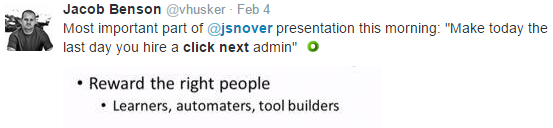
This is a fantastic goal, but how do we get there? There’s no set answer, but I listed out some of the major challenges I see.
Would love to hear your feedback and ideas - flip through the post and stop back here to discuss!
If you’d like to have some fun, share your click-next-admin stories on twitter with the #ClickNextAdmin tag.
Aside: Thank you for the invite to contribute here, it’s an honor.
Cheers!
Related Articles
How to Toggle Logon Restrictions for AD Accounts
Written by Tino JR This script will allow an administrator to enable or disable logon restrictions for an Active Directory …
Read morePowerShell Escape Room
PowerShell Escape Room by Michiel Hamers by Michiel Hamers https://about.me/michielhamers/ Why on earth you want to create an …
Read moreMicrosoft Graph PowerShell Module: Getting Started Guide
Microsoft Graph PowerShell Module: Getting Started Guide by Jeff Brown Microsoft is retiring the Azure AD Graph API sometime …
Read more